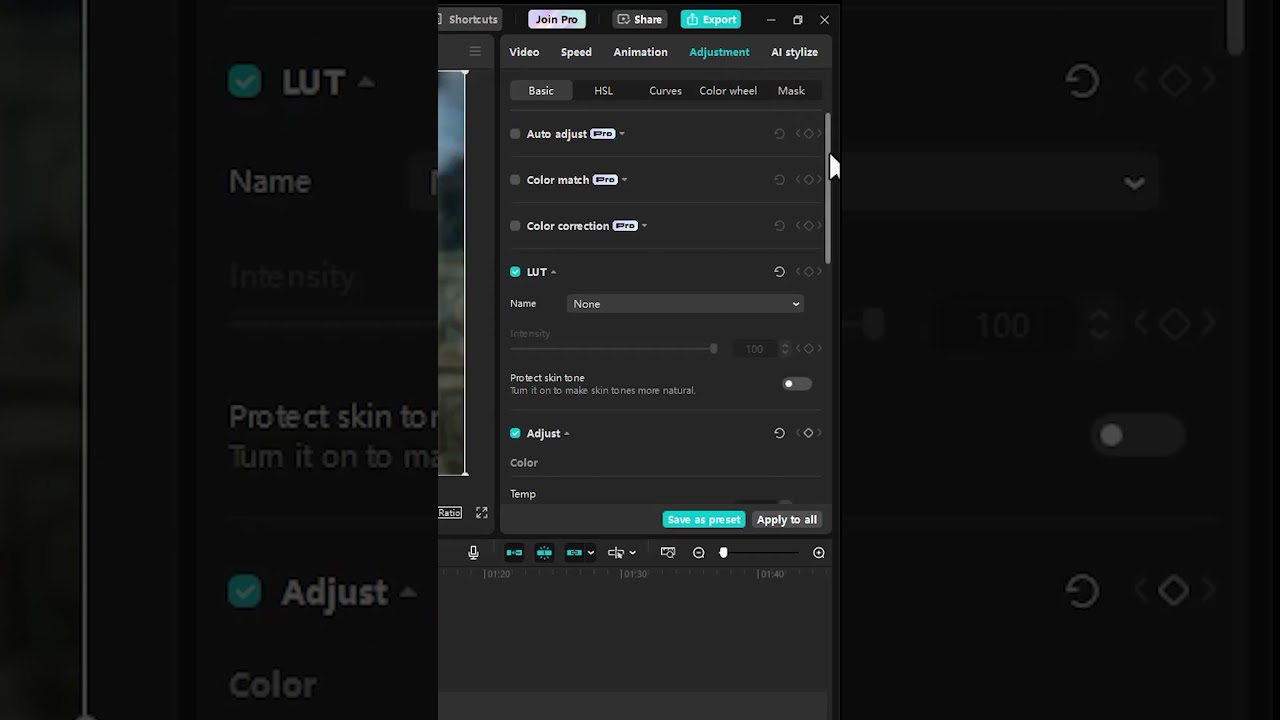
🎥 How To Increase Video Quality In CapCut PC | Step-by-Step Tutorial
Want to make your videos look sharper and more professional?
In this tutorial, you’ll learn how to increase video quality in CapCut for PC, whether you’re working on YouTube content, Instagram reels, or client projects.
🔥 What you’ll learn in this video:
How to import and edit high-resolution videos
Best CapCut export settings for HD and 4K quality
Tips to enhance sharpness, brightness, and color
How to avoid blurry or pixelated output
With these settings and editing tips, your content will stand out with crystal-clear visuals!
📌 Perfect for beginners and content creators looking to improve their video quality in CapCut PC.
👍 Don’t forget to like, comment, and subscribe for more CapCut tutorials and editing hacks!
#CapCutPC #VideoEditing #CapCutTutorial #IncreaseVideoQuality #HDVideoEditing #CapCutTips #ContentCreation #CapCutExportSettings #CapCutForPC
Welcome to CapCut How To – your ultimate guide for mastering CapCut video editing! Discover top-notch CapCut tutorials, tips, and tricks to create stunning videos like a pro.
Whether you’re a beginner or advanced editor, we’ve got step-by-step guides on CapCut effects, transitions, trending edits, and more.
Boost your video editing skills with our easy CapCut how-to lessons and elevate your content for YouTube, TikTok, and Instagram. Subscribe now for the best CapCut tutorial channel and start editing viral-worthy videos today!
Other Tutorials:
https://youtu.be/HXamBS2tff8
🎥 Purchase CapCut PC – https://capcutaffiliateprogram.pxf.io/mOo6YD
🎬 Unlimited Editing Assets – https://1.envato.market/APyjoR
🚀Recommended Plugins🚀
🔥AEJuice – https://aejuice.com/?ref=adobemadesimple
***By using my affiliate links, I earn a small commission on any purchases you make, at no additional cost to you***